


Deviation control
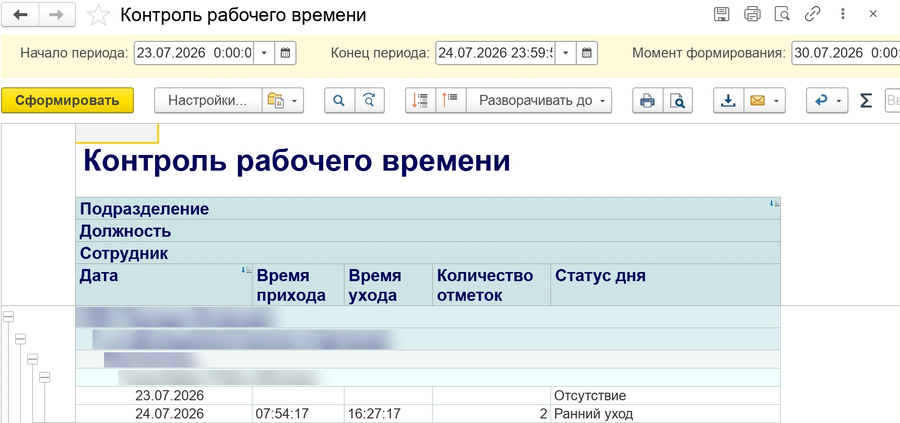
One report shows arrivals, departures and the number of records by employee and day. Late arrivals and early departures are visible before payroll, and the manager knows whom to check and for which day.

Automatic working time tracking in your 1C. Deviations are visible before payroll.
We bring HR routine down to zero
Late arrivals and early departures end up in paid time, and nobody sees what they cost per month.
HR staff match schedules, spreadsheets and turnstile logs manually.
When the totals differ, a manager cannot quickly see which data the timesheet is based on.
One report shows arrivals, departures and the number of records by employee and day. Late arrivals and early departures are visible before payroll, and the manager knows whom to check and for which day.
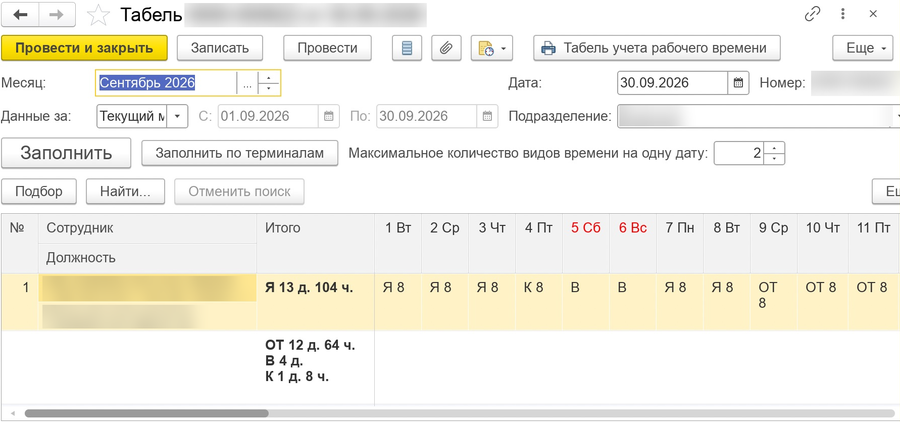
The timesheet is filled in from terminal records, schedules and rules: the familiar 1C document has a “Fill in from terminals” button. HR staff check a ready result instead of putting it together by hand.
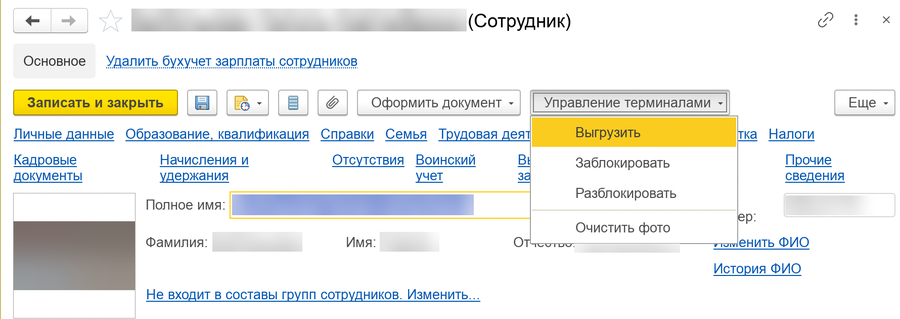
Access is managed from the employee record in 1C.
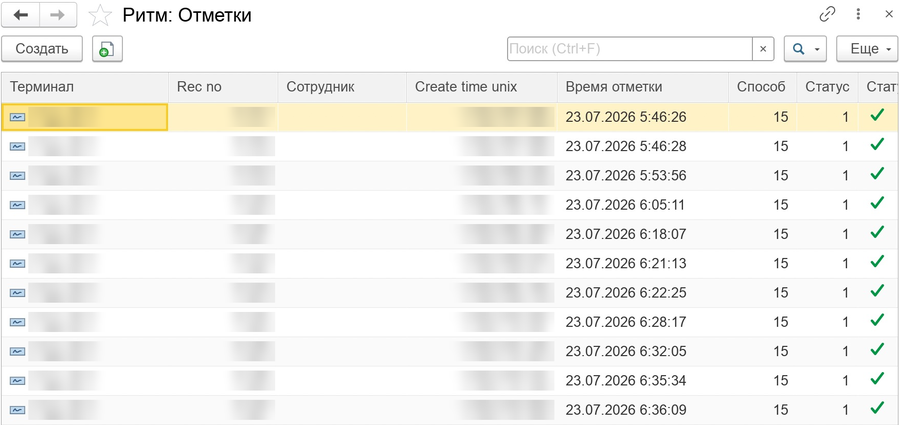
Every pass is recorded in the 1C log: terminal, time and method of the record. If a dispute arises, you can open the original records and compare them with the timesheet.
The timesheet takes into account each employee’s schedule, shifts past midnight and absences from 1C. Allowed lateness and early departure are set by a rule according to your regulations.

Example for a company with 100 employees.
Implementation and equipment are calculated separately.
Software, exchange with 1C, schedules and timesheet

Equipment, installation and service
| Employees | Launch time |
|---|---|
| 100 | 2–4 weeks |
| 250 | 4–6 weeks |
| 500 or more | 6–8 weeks |
The exact time depends on the sites, schedules and equipment readiness.
Perpetual license for one 1C database. One-time payment; the package is chosen by the number of employees.
Implementation and equipment are paid separately. We calculate their cost before the project starts.
Support: from 100 000 ₸ per month. Includes updates; the scope of work is fixed in the contract.
An optional step. Answer a few questions and we will prepare a list of equipment and work for discussion.
In the chosen licensing model, the number of unique individuals with active employment in the whole database is counted. An employee with multiple employment records is counted once; employees dismissed as of the calculation date are not included.
This scenario is possible if 1C has a network connection with the terminals. We determine the equipment and the connection scheme during the site survey.
The timesheet gets the planned hours marked “CHECK”. The day goes to the list for review: this is not an exact measurement of presence.
Not always. The timesheet is calculated by the schedule and the rules for lateness and early departure, so the hours may differ from the actual time on site.
Vacation, sickness and other absences from 1C are kept when the timesheet is filled in. Shifts past midnight are counted by the employee’s schedule.
Possibly. We need the model, firmware version and exchange method: we check them before delivery.
A closed network needs a local connection between 1C and the terminals. We confirm operation in such a network for your configuration before delivery.
ONSET supplies, installs and services the equipment. AC-PRO is responsible for the software, implementation and support in 1C.
The 1C configuration and release; the number of employees and databases; sites, checkpoints and equipment; work schedules. From this data we determine the scope and cost of the project.
We will show the report, timesheet filling and access management from 1C free of charge. We will calculate the project budget and the possible payback period from your data.
Mon–Fri, 9:00–18:00 (Almaty)
We will prepare the text of your request: you choose email or WhatsApp
Kit selection parameters have been added to the request.
Choose how to send it. The request has not been sent yet.
The text is long: only its beginning fits into the link. Copy the full text and send it to sales@ac-pro.kz or via WhatsApp.
Request text

